How to Install EF Core
DBContext in Entity Framework Core
What is DBSet in EF Core
What is Migrations in EF Core
LINQ to Entities in Entity Framework Core
Seeding data in Entity Framework Core
Lazy loading and Eager Loading are not same in EF Core
Explicit loading in EF Core
Entity States in EF Core

How to install Entity Framework core in 2026
In this article i am going to explain about installation of Entity Framework core on Visual Studio 2022,
which is a modern, lightweight,cross platform, open-source Object–Relational Mapper (ORM) for .NET.
It lets you work with a database using C# objects instead of writing rawSQL.
Step 1:- Open Visual Studio 2022
Step 2:-
Create New Project
Step 3:-
You can create any type of application like Console application,Asp.net Core Web app, ASP.NET Core WEBAPI etc.
Step 4:-
Click on console application and click next
Step 5:-
Enter projectname as "EFCoreConsoleAPP" and location and click next
Step 6:-
Here application type is "Console Application" and Database is "SQL Server"
Step 7:
To add Entity Framework Core , we should install NUGET packages for specific database provider
NUGET PACKAGES
- Microsoft.EntityFrameworkCore.SqlServer
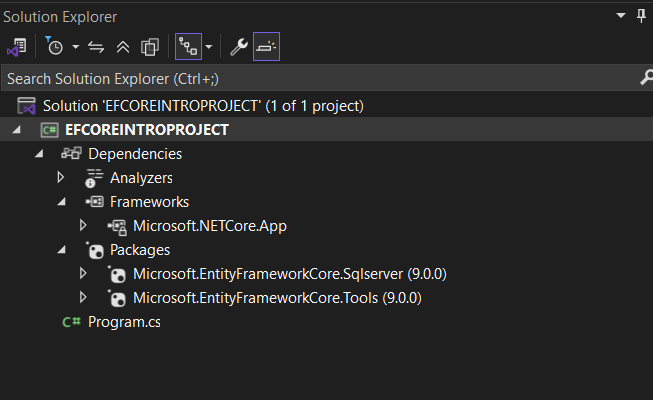
- Microsoft.EntityFrameworkCore.Tools
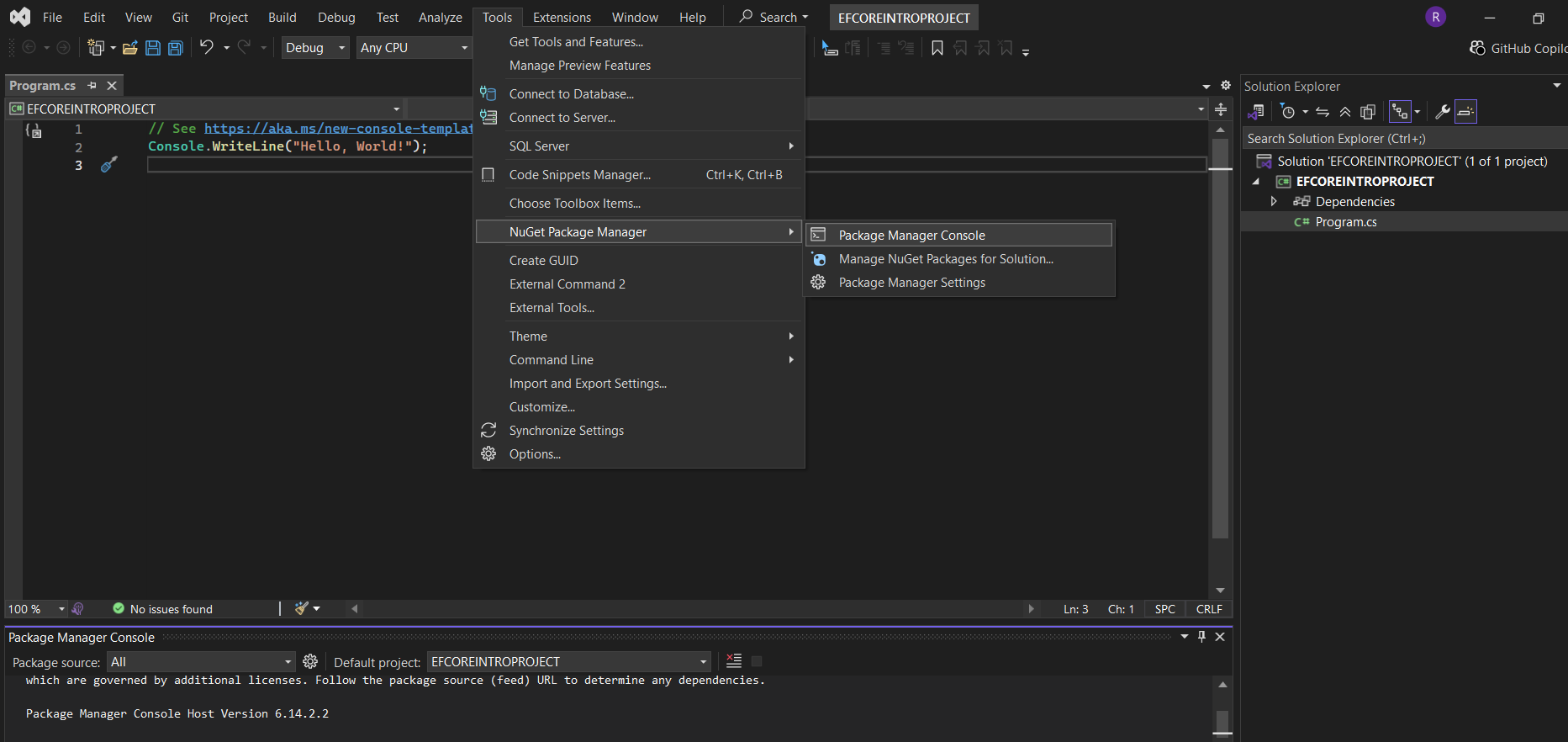
Step 8: You can install this package in Two Ways. One is Go to Tools menu click Nuget package manager and click "Package Manage Console"
and give following command.
Install-Package Microsoft.EntityFrameworkCore.SqlServer and hit enter
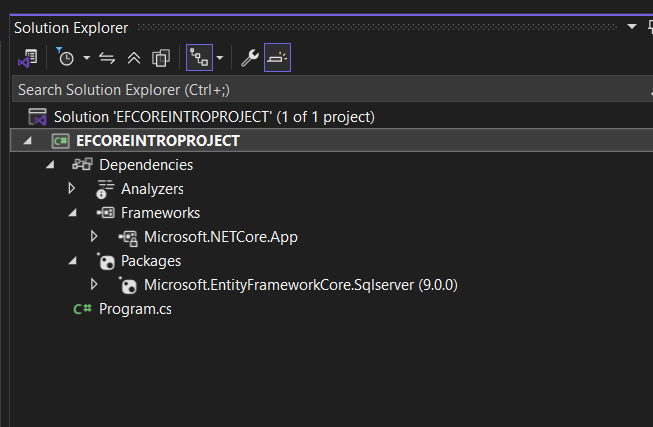
After installation, go to solution explorer, click packages,you will see microsoft.entityframeworkcore.sqlserver with version
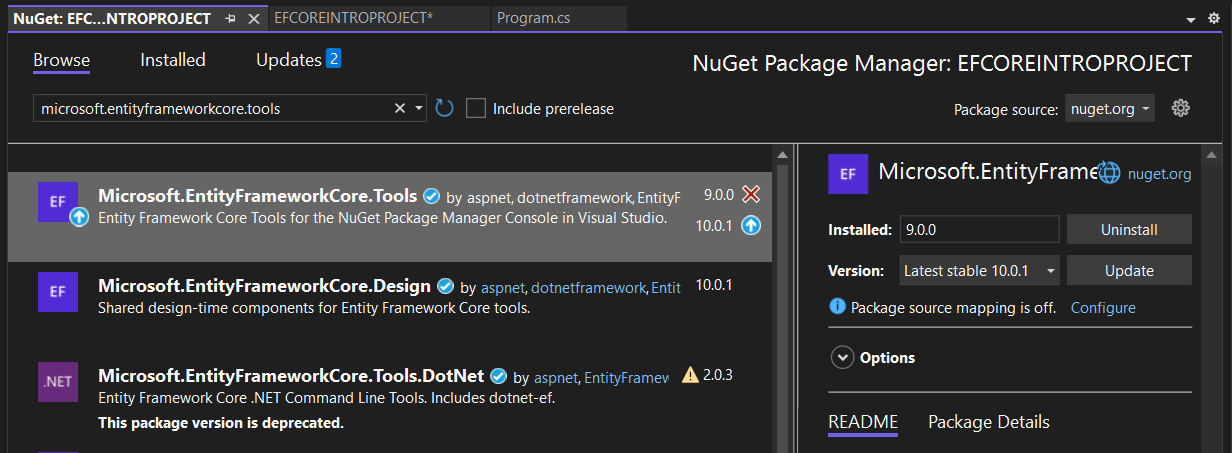
Second one is to Right click project and click "Manage Nuget Packages", Here click on Browse and search for package like
"Microsoft.EntityFrameworkCore.Tools" and click Install button