How to Install EF Core
DBContext in Entity Framework Core
What is DBSet in EF Core
What is Migrations in EF Core
LINQ to Entities in Entity Framework Core
Seeding data in Entity Framework Core
Lazy loading and Eager Loading are not same in EF Core
Explicit loading in EF Core
Entity States in EF Core

What are Migrations in Entity Framework core 2026
PREREQUISITE FOR EFCORE SETUP:-
1.INSTALL NECESSARY NUGET PACKAGES
2.CREATE MODELS
3.CREATE DBCONTEXT CLASS
4.ADD MIGRATION
5.UPDATE DATABASE
WHAT IS MIGRATION?
Migration is an EF core feature that provides way to incrementally update the database schema to keep it in sync
with the application's data model, while preserving existing data in database.
Database Creation:-
We create migration by using "Add Migration" command
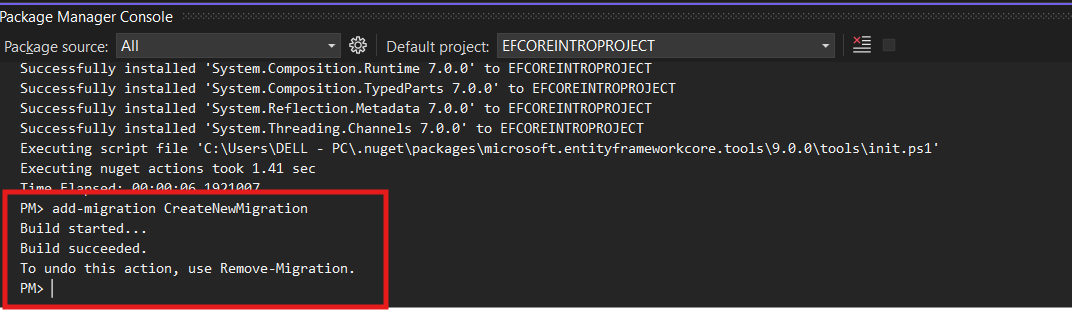
go to Nuget Package Manager and click "Package manager console". Now give following command
PM>Add-Migration CreateNewMigration
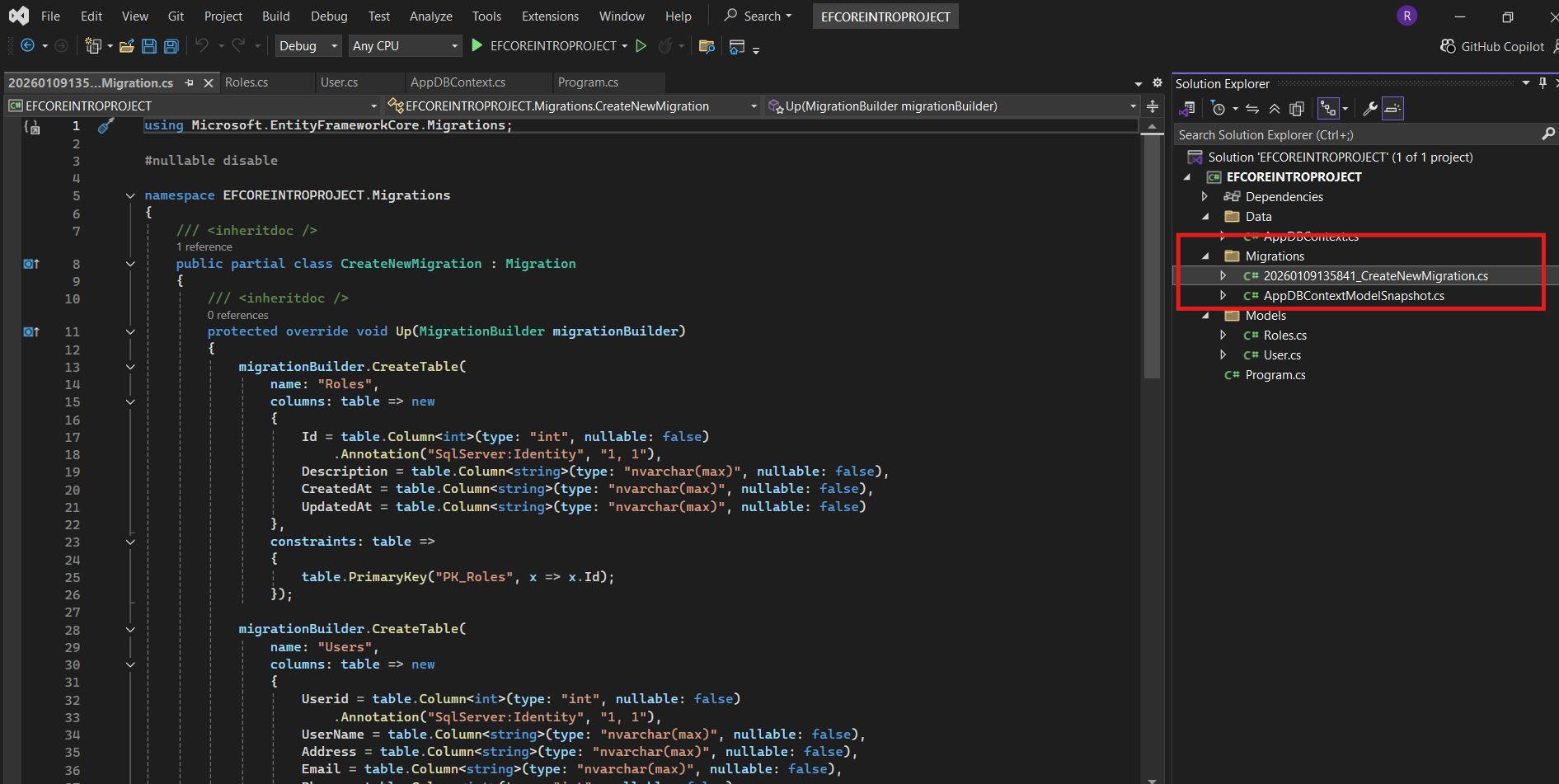
Now it will create "Migration" folder and will create above file.
Eg:- 202306030280817_CreateNewMigration.cs
The above class has UP method and Down method. The UP method has code to create User and Roles table.
public partial class CreateNewMigration:Migration
{
protected override void Up(MigrationBuilder migrationBuilder)
{
migrationBuilder.CreateTable(
name: "Roles",
columns: table => new
{
Id = table.Column
What is Model Snapshot?
It represents current state of model class.This file is added to Migration folder when we create our first migration.
This file is updated upon each subsequent migration
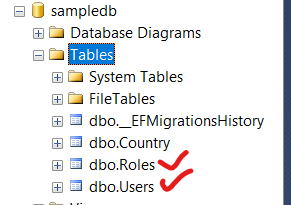
Now we should give Update-database command on Package Manager Console.This command creates the entity classes like User and Roles in our Sqlserver database.

Now open sqlserver and you will see new tables like Users and Roles are created.
In Sqlserver database, you will see new table called
"EFMigrationHistory"
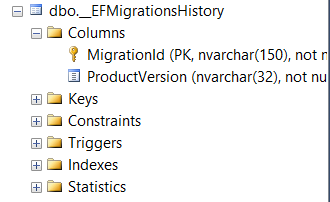
Above file will store Migrationid and productversion.This table will keep track of all migrations that we created
Advantages of Migrations :=
1.Migrations allows us to version control our database schema changes.
2.It allows us to rollback changes if needed.
3.It allows us to apply migration without loosing data.